
Best overall for a straightforward academic profile: Google Sites. Best for design control without coding: Wix. Best for a compact research landing page: Carrd. This 2026 guide compares the best personal website builders for academics by publishing needs, maintenance work, and how clearly they present your research.
- Google Sites is the default academic website builder for researchers who want a straightforward profile without coding.
- Wix suits visual customization; Squarespace suits coordinated layouts; WordPress.com suits regular research writing.
- GitHub Pages suits version-controlled academic websites; Carrd suits a focused, single-page research profile.
- The best personal website builders for academics organize publications clearly; targeted research promotion serves a different purpose.
Why this matters
An academic website gives readers a destination for your biography, publications, research interests, and contact details. It does not create an audience by itself. A polished homepage and a plan for reaching relevant researchers solve different problems.
Paper Spotlight is for researchers seeking expert-led academic paper promotion, not website construction. Its service combines article analysis, targeted research promotion, and social media outreach. Use Paper Spotlight when your published paper needs a promotion service rather than another website redesign.
For an early-career researcher choosing a builder in 2026, the practical question is simple: which option lets you publish an accurate profile and keep it current without displacing your research work?
What makes the best academic website builder?
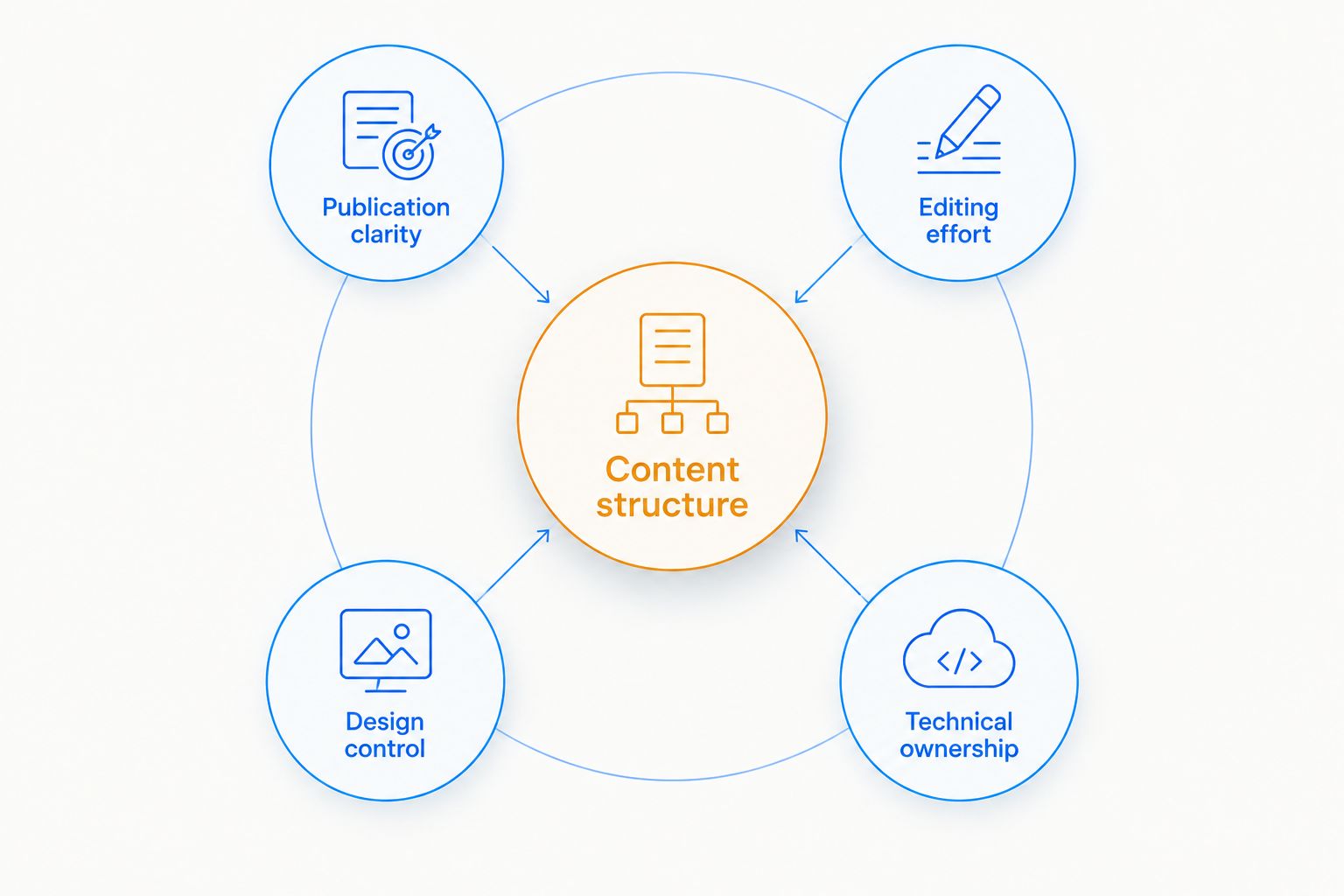
Judge an academic website builder against these criteria before choosing templates:
- Publication clarity: Readers should distinguish journal articles, preprints, datasets, and other outputs without guessing their status.
- Editing effort: You should be comfortable adding a publication or changing an affiliation yourself.
- Content structure: Match the platform to a single profile, a multipage website, or an ongoing research blog.
- Design control: Choose enough flexibility to communicate clearly, not flexibility that creates unnecessary decisions.
- Technical ownership: Decide whether you want a visual editor or responsibility for files, builds, and deployment.
In 2026, start with content structure rather than appearance. A researcher publishing occasional profile updates needs a different workflow from someone maintaining tutorials and project documentation.
Academic website builders at a glance
The order below favors a straightforward personal profile first, then increasingly specialized publishing needs. These are use-case recommendations, not a claim that one platform wins every category.
| Option | Best for | Standout feature | Key limitation |
|---|---|---|---|
| Google Sites | A straightforward academic profile | Visual page editing and Google content embedding | Limited control over detailed design |
| Wix | Visual customization without coding | Drag-and-drop editing | Extensive design choices require restraint |
| Squarespace | Coordinated multipage presentation | Template-based layouts and blogging | Custom layouts require working within its editor |
| WordPress.com | Regular research writing | Posts, pages, categories, and tags | More publishing settings to manage |
| GitHub Pages | Version-controlled research websites | Static publishing from a repository | Not a conventional visual website builder |
| Carrd | A compact research landing page | Single-page site construction | A poor fit for a large publication archive |
1. Google Sites: best academic website builder for simple profiles
Google Sites lets you assemble pages in a visual editor and embed content from Google services. It suits a biography, research overview, selected publications, and contact information without requiring a coding workflow.
Its main advantage is a narrow decision space. You can concentrate on making your academic record understandable rather than configuring a publishing system.
Google Sites pros:
- Visual editing suits researchers who do not want to write code.
- Separate pages accommodate biography, research, and publication sections.
- Google content embedding supports materials already maintained in that ecosystem.
Google Sites cons:
- Detailed visual customization is limited compared with more design-focused builders.
- It lacks a dedicated blogging workflow with post categories and tags.
Best for: An early-career researcher who needs a clear, maintainable profile rather than a publication platform.
Choose Google Sites when the main task is presenting existing work. Choose another option if frequent essays, a distinctive layout, or technical documentation defines the site.
Verdict: Buy into Google Sites for a straightforward academic profile; skip it for a content-heavy research blog.
2. Wix: best academic website builder for visual customization
Wix offers a drag-and-drop website editor and supports multipage sites and blogging. It gives you room to shape the presentation without building the website through code.
That freedom suits researchers who need distinct pages for projects, teaching, or public engagement. It also creates more opportunities to over-design information that should remain easy to scan.
Wix pros:
- Visual editing gives you direct control over page arrangement.
- Multipage structure separates research, teaching, and publications.
- Blogging supports updates beyond a static academic biography.
Wix cons:
- Layout freedom adds decisions and ongoing editing work.
- A desktop layout still needs a separate mobile readability check.
Best for: Researchers who value visual control and will maintain the resulting layouts.
Use a consistent publication format before adding decorative elements. Your paper titles, authorship, publication status, and destination links matter more than a distinctive arrangement of boxes.
Verdict: Buy into Wix for visual customization without coding; skip it if you want minimal layout decisions.
3. Squarespace: best academic website builder for coordinated layouts
Squarespace combines template-based website design with pages and blogging. It suits an academic profile that needs a coordinated presentation across research, biography, writing, and project sections.
The template provides a starting structure rather than a reason to accept every default. Replace promotional template language with precise descriptions of your research and published work.
Squarespace pros:
- Template-based layouts provide a consistent starting point.
- Pages and blog posts support both a profile and ongoing writing.
- Visual editing avoids a repository-based publishing workflow.
Squarespace cons:
- Specialized layouts require working within the platform's editor and customization options.
- Template presentation does not automatically create a useful publication structure.
Best for: Researchers who want coordinated multipage presentation without managing site files.
Before committing in 2026, build a sample publications page. Check whether a long title, multiple authors, and a plain-language summary remain readable in the layout you prefer.
Verdict: Buy into Squarespace for coordinated presentation; skip it when file-level control is essential.
4. WordPress.com: best academic website builder for research blogging
WordPress.com is a hosted publishing platform built around pages and posts. Categories and tags let you organize recurring writing by topic rather than adding every update to your homepage.
It suits researchers who expect their website to become a body of writing: methods explanations, project updates, teaching reflections, or accessible accounts of published findings.
WordPress.com pros:
- Dedicated posts support an ongoing research blog.
- Categories and tags organize related articles.
- Static pages keep your biography and publication information separate from updates.
WordPress.com cons:
- Themes and publishing settings add setup decisions.
- Extension and customization access depends on the platform's current plan rules.
Best for: Researchers who will publish regularly, not just update a CV.
Set a narrow editorial scope before launch. A clear collection of related research explanations gives readers more direction than an empty blog attached to an otherwise complete profile.
Verdict: Buy into WordPress.com for sustained research writing; skip it if a static profile meets your needs.
5. GitHub Pages: best academic website option for version control
GitHub Pages publishes a static website from a GitHub repository. It is a hosting and deployment option rather than a conventional drag-and-drop builder; researchers commonly pair it with a static-site workflow such as Jekyll.
Choose it because you want files and version history, not because a repository automatically makes a website more credible. Visitors still need plain-language descriptions and clearly labeled research outputs.
GitHub Pages pros:
- Repository history records changes to website files.
- Static-site workflows suit text-based content management.
- Site materials can sit alongside related code and documentation workflows.
GitHub Pages cons:
- Setup requires comfort with repositories and the chosen build process.
- Interactive functions need additional implementation rather than ordinary page editing.
Best for: Researchers already comfortable maintaining version-controlled files.
Avoid adopting a technical workflow solely to publish a biography. Build problems become your responsibility, and an outdated research profile remains outdated regardless of its underlying architecture.
Verdict: Buy into GitHub Pages for version-controlled publishing; skip it when you need a visual editor.
6. Carrd: best academic website builder for a single-page profile
Carrd focuses on single-page websites. It fits a compact introduction with research interests, selected publications, and links to the places where your work already lives.
Its constraint is useful when your goal is a clear destination rather than a complete archive. Readers can understand who you are and find your main work without exploring a larger website.
Carrd pros:
- Single-page construction keeps the site scope focused.
- Visual editing avoids a coding workflow.
- Sections can group biography, selected work, and contact information.
Carrd cons:
- A growing publication list can become difficult to scan on one page.
- It is not a conventional multipage research blogging platform.
Best for: Researchers who need a focused landing page rather than an extensive website.
Select publications deliberately. If every project needs its own explanation, or your site must support ongoing articles, choose a platform built around separate pages or posts.
Verdict: Buy into Carrd for a compact research profile; skip it for an expanding publication archive.
How the recommendations are ranked
These 2026 recommendations prioritize publication clarity, editing effort, content structure, design control, and technical ownership. Google Sites is the default because a straightforward profile is the starting use case; the other options answer different publishing needs.
The ranking does not represent measured performance tests or citation outcomes. Website software organizes information. Academic credibility comes from accurate descriptions, transparent publication status, and work readers can examine.
Build a useful academic profile before promoting it
Use this sequence to turn your chosen builder into a useful destination:
- Define the reader. Identify the research community your profile should serve. Describe the problem you study, not just your department.
- Write the introduction. As an editorial starting point, draft a 100-word biography covering your current role, research interests, and main contribution.
- Explain selected work. Draft a 150-word summary for each featured paper. State the question, approach, finding, and limitations without overstating the publication.
- Check the destination. Review at least 1 mobile screen layout before sharing the site. Confirm that titles, publication links, and contact details remain readable.
Those lengths are writing targets, not performance benchmarks. Shorten or expand them when the research requires it.
When paper promotion belongs in the plan
A website answers what readers find after arriving. Promotion addresses whom you try to reach. Do not treat a builder purchase as a substitute for a research communication plan.
Paper Spotlight brings a PhD-founded perspective to academic paper promotion, with article analysis before promotion and expert-led targeting of relevant researchers. Its approach includes scientific testing of outreach across research areas and career stages; that describes the method, not a demonstrated result for your paper.
Before choosing a promotion plan in 2026, ask how your paper's topic informs targeting, what the outreach will communicate, and how reporting distinguishes visibility from citation outcomes. Promotion is not payment for citations, and attention is not a citation guarantee.
Review your paper promotion options
Consider article analysis and targeted outreach alongside your academic website.
Which academic website builder should you choose?
Choose Google Sites if you are undecided and need a straightforward academic profile. Choose Wix for visual customization, Squarespace for coordinated layouts, WordPress.com for ongoing writing, GitHub Pages for version-controlled publishing, or Carrd for a single-page destination.
Keep the website decision separate from the promotion decision. Paper Spotlight supports academic paper promotion; it does not replace a builder or the researcher's responsibility to represent findings accurately.
FAQ
What's the best personal website builder for academics in 2026?
Google Sites is the default recommendation for a straightforward academic profile. Wix, Squarespace, WordPress.com, GitHub Pages, and Carrd fit different design, writing, and technical needs.
Is Google Sites better than WordPress.com for an academic website?
Google Sites is better suited to a simple profile, while WordPress.com is better suited to recurring research writing. Choose according to whether you mainly need static pages or an organized blog.
Can I build an academic website without coding?
Yes. Google Sites, Wix, Squarespace, WordPress.com, and Carrd provide visual editing workflows. GitHub Pages requires comfort with repositories and your selected site-building process.
Is GitHub Pages a website builder for researchers?
GitHub Pages is static website hosting and deployment, not a conventional visual builder. It suits researchers who want to maintain website files in a repository.
What should an early-career researcher's website include?
Include an accurate biography, research interests, selected publications, and professional contact information. Label publication status clearly and explain your work for readers outside your immediate specialty.
Will a personal academic website increase my citations?
A personal website does not guarantee additional citations. It provides a destination for your research; citations depend on other researchers finding the work relevant and choosing to cite it.
Should I build a website or use a paper promotion service?
Use a website to organize your professional profile and a promotion service to support targeted outreach for published work. Paper Spotlight offers article analysis and academic paper promotion, not website construction.
One last thing
Before changing builders, read your featured paper summary without its title or abstract beside it. Does it explain the research question, the finding, and the limitation? If not, improve the summary first. A different template cannot correct an unclear account of your work.